When one site finds a bad batch, every site should know.
QI-Tracker is a quality defect reporting app for hospital pharmacies. A pharmacist reports a damaged or defective product from their phone. Quality approves it. Every other site is asked to check its stock, and each answer is tracked until the issue is closed.
It runs inside your own Microsoft 365. No new servers, no outside database. Your reports stay in your SharePoint.
The full story in 2 minutes, with sound
Seven minutes from a damaged box to a final report.
These are the real clock times from our recorded demo: three sites, one damaged delivery of sodium chloride infusion bags, batch B47215.
-
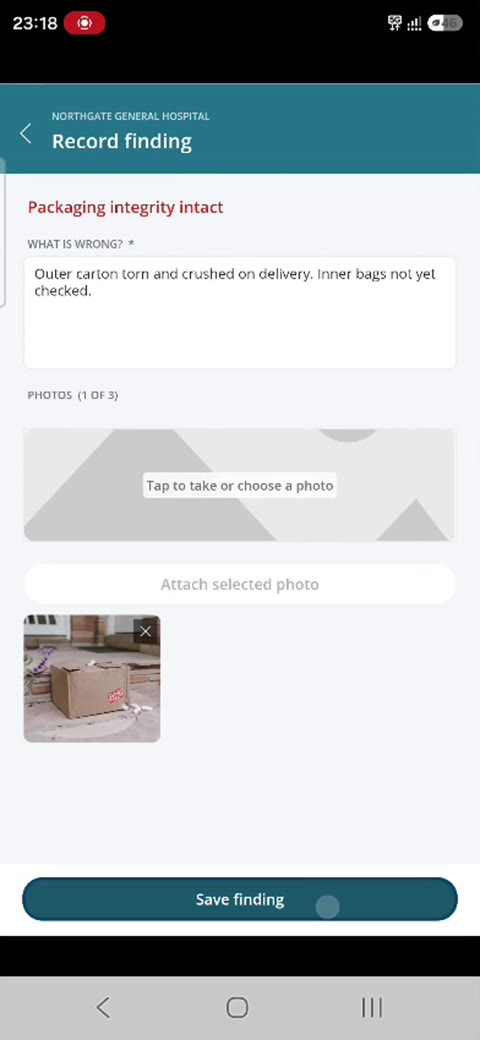
23:18
Northgate reports it from a phone
Item, batch and supplier, then the quality checks. The failed check gets a short finding and a photo of the carton.
-
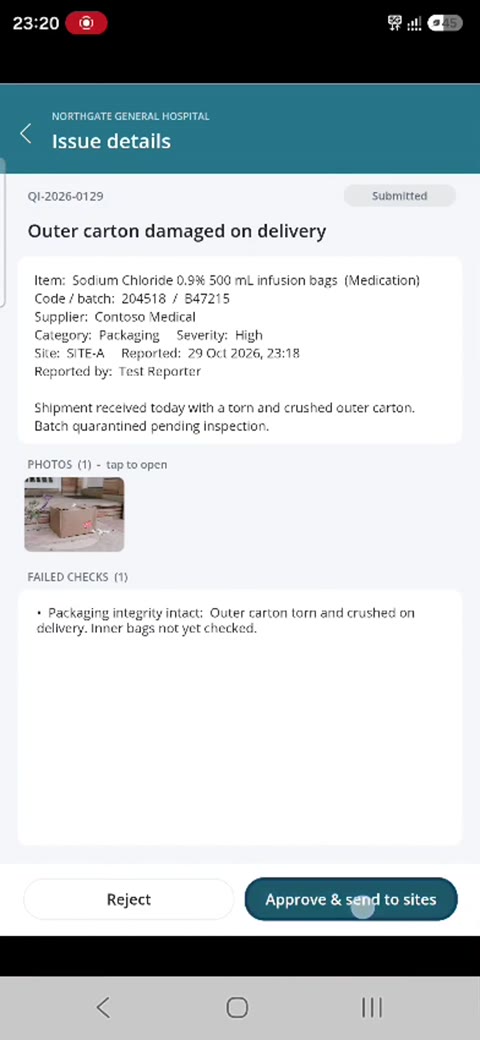
23:20
Quality reviews and approves
The reviewer gets an email with the full report and photo. One tap opens the issue, one more approves it and sends it to the other sites.
-
23:21
Every other site is asked to check its stock
Riverside and Eastfield each get an alert with a due date and a link straight to the response screen.
-
23:23
Answers come back, and silence shows
Riverside finds the same problem in its own stock and responds. The tracker shows who has answered and who has not.
Riverside: confirmed, same batch
Eastfield: pending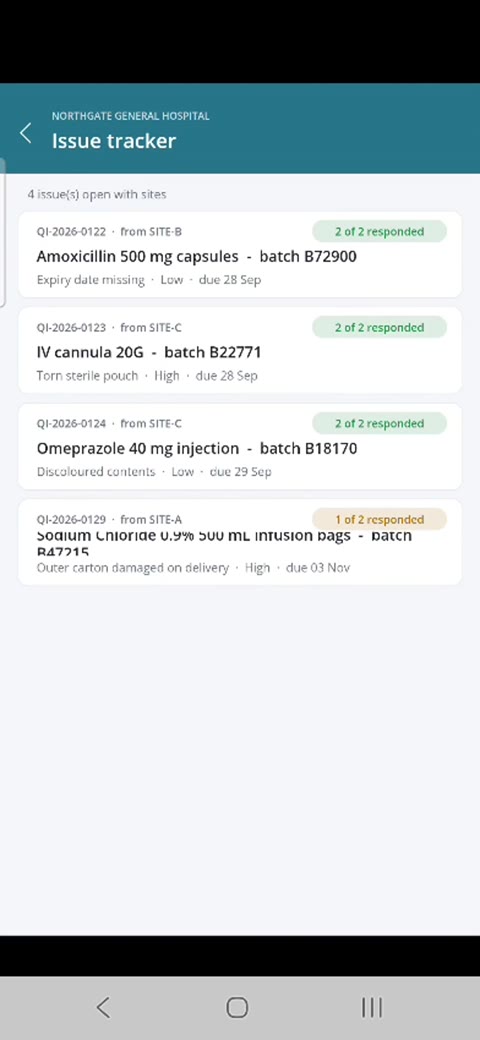
-
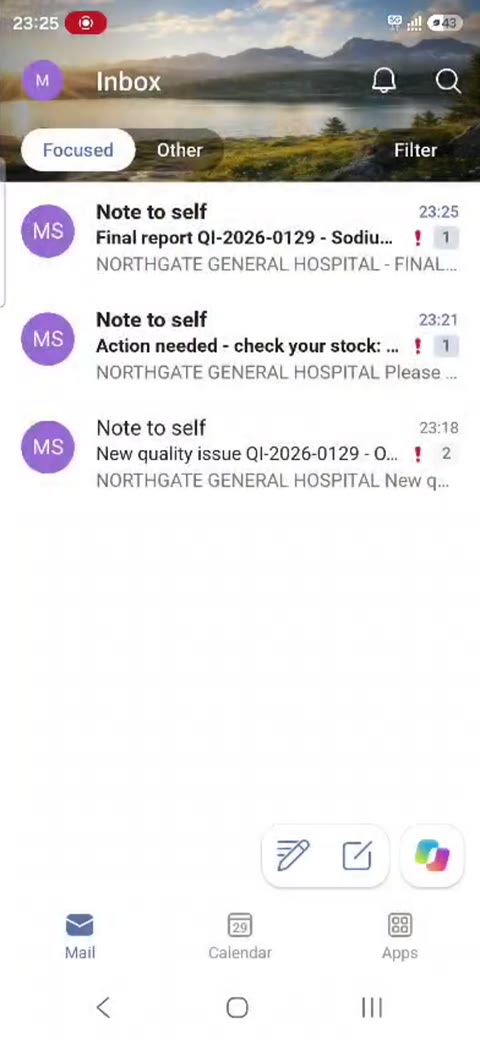
23:25
The issue is closed with a final report
Quality chooses the outcome, here a partial recall. The recall contact gets one email with the findings, the photo, every site's answer and the site that never responded.
3 sites on one issue
5 emails sent automatically
0 phone calls to find out who checked
What you get
Everything below installs as one package into your Microsoft 365, with a step-by-step setup guide.
- The appFor phones and desktops. Report an issue, review it, respond for your site, and track every open issue.
- Automatic emailsFive of them, so nobody has to chase:
- new issue to the reviewer, with the photo
- stock check request to every other site
- reminders before the response is due
- a daily digest of what is open
- the final report when the issue closes
- Power BI dashboardTwelve-month trends, the products and suppliers that keep failing, and which sites respond on time.
- Your own settingsYour sites, categories, quality checks and focal points are lists you edit yourself. No developer needed.
- SupportA setup guide that takes about 60 to 90 minutes to follow, and email support for questions and changes.
Built on the Microsoft 365 you already pay for
QI-Tracker uses SharePoint, Outlook, Power Apps, Power Automate and Power BI. If your staff can open Outlook, they can use it.
- Works with common plansBusiness Basic, Business Standard, E3 or E5. Staff use the free Power Apps app on any phone.
- Your data stays with youReports, photos and responses are stored in your SharePoint site, under your organisation's access rules.
- Nothing extra to hostNo servers, no outside database, no separate logins. Your IT team keeps full control.
Who builds it
QI-Tracker is designed by someone who has run medication safety and quality reporting in hospital pharmacy, for the people who do that work every day. Mohamed Sherbash, MPH, MBA, MSc, CPHQ, CPPS
Clinical Pharmacy Manager. Founder, SafeLoop Health
See it with your own sites in mind.
A 30-minute video call: a 20-minute live demo and time for your questions. Pricing depends on how many sites you run, and you get a quote after the call.
Questions first? Email support@safeloophealth.com